


BetLabel App
RegistrationThe BetLabel app makes not only sports betting easy but also enhances your casino gaming experience. It comes with all the fantastic features you’d expect, from smooth navigation to accessible banking options. The mobile app works for Android and iOS devices, and you can install it in a few easy steps. We detail how to download BetLabel app and install it on your mobile devices in this article.



General Information About the BetLabel App
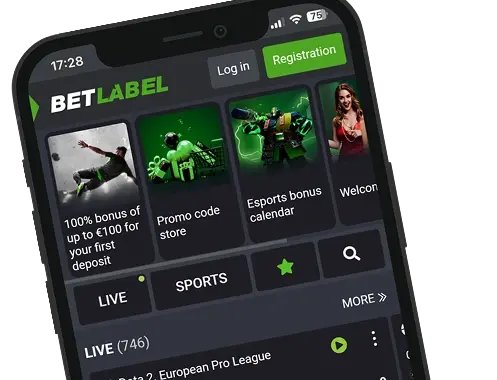
The mobile setup covers two clear paths. Android users install a lightweight APK file, while iPhone users use the mobile site with a home-screen shortcut that mimics a native app. If you prefer a direct route, BetLabel download options are grouped on the official app page; always install from there to avoid tampered files and to keep updates predictable.
A small extra perk is that both paths share the same wallet, bet slip, and promo tracking—so switching between devices doesn’t break your flow. On iPhone, the BetLabel iOS experience feels app-like (full-screen, fast navigation), while Android users (with the APK file) get an immersive mobile experience with push notifications, quick cash-out, and live odds.
RegistrationHow to get the BetLabel App for iOS
Some sportsbooks push clunky wrappers; here, the approach is lighter and quicker on iPhone. The BetLabel app loads fast, keeps the bet slip close, and doesn’t bury the cashier behind extra taps.
How to Download and Install
On iPhone, you don’t install a native app—you create a fast, full-screen shortcut that behaves like one. Follow these steps:
- Open Safari and go to the BetLabel site.
- Tap the Share icon (square with an arrow).
- Choose “Add to Home Screen.”
- Confirm the name (or edit it) and tap Add.
- Launch from the new icon, sign in, and you’re ready to bet.
This opens in full-screen with the same account, cashier, and bet slip you use on desktop—no App Store download required.
What are the iOS System Requirements?
Because there’s no native iOS binary, there’s nothing special to maintain—keep Safari up to date and ensure you have reliable mobile data or Wi-Fi. The mobile interface is built to load quickly and retain your place in Live/Line views.
iOS Compatible Devices
Any modern iPhone or iPad running Safari supports the Add-to-Home-Screen approach. If you swap devices, just log back in—the layout and menus are the same.
The BetLabel App for Android Devices
If you’re using an Android device, you get the full native route and the fastest path to odds and markets. It launches quickly, keeps live prices updating smoothly, and preserves your bet slip while you hop between leagues.
How to Download and Install
Here’s the clean install path on Android—stick to the official route so the file is current and safe. To download BetLabel safely, start here and follow the steps:
- Open the official app page in your mobile browser.
- Tap the Android button to get the BetLabel APK.
- Allow installation from unknown sources in your phone’s settings.
- Open the APK and complete the setup to finish the installation.
- Launch the app, sign in, and you’re set.
When a new build is released, return to the same page to download the app updates and install over your current version.
BetLabel Android System Requirements
Use a recent Android device with the operating system kept up to date, a stable data/Wi-Fi connection, and enough free storage to install updates smoothly. For best performance, close heavy background apps during live betting and keep Battery Saver off while streaming casino tables.
Compatible Devices for the Android App
Most recent Android phones and tablets can install the APK. If you change devices, just sign in on the new smartphone—your account, favourites, and bet slip behaviours carry over.
RegistrationMobile Website Version for Pakistani Players
If you’d rather not install anything, the mobile website mirrors core app flows: quick access to Live/Line, a persistent bet slip, and a unified wallet for sports and casino. This is also where BetLabel mobile stands out—a clean layout that keeps your selections visible while you browse other leagues, so you don’t rebuild tickets from scratch.
Mobile Betting Options
Mobile betting should feel like second nature, and here it does. You can jump between football, tennis, basketball, cricket, volleyball, ice hockey, and esports, with in-play pages refreshing odds smoothly. Before you bet, it helps to know what tools are at your fingertips:
- Bet slip control: Add selections in one tap, edit stakes inline, and confirm without losing your place.
- Cash-out (Bet Slip Sale): Full or partial sell options, plus AutoSale targets for hands-off exits on volatile legs.
- Accumulator-friendly promos: Weekend accas map neatly to the BetLabel bonus for sports and recurring weekly boosts.
Casino Games on the BetLabel App
When the schedule goes quiet, the casino page is a short hop away. Slots offer Classic, Video, Megaways, and Bonus Buy options, with demo mode for quick testing before you stake. If live tables are your reset, you can drop into Lightning Roulette, Crazy Time, Monopoly Live, or Bac Bo in a couple of taps. Providers include BGaming and Play’n GO, so you’ll find both familiar hits and newer releases across volatility bands. The same cashier covers the casino, so there’s no juggling balances between sections.
Common Questions
Can I use the same account on Android, iOS, and desktop?
Is there a native iOS app?
How do I update the Android app?
